
See how this ad was made.
This is a real ad. Copy its idea, add your own product, and follow the steps to make one like it.
A whole outfit, put on piece by piece.
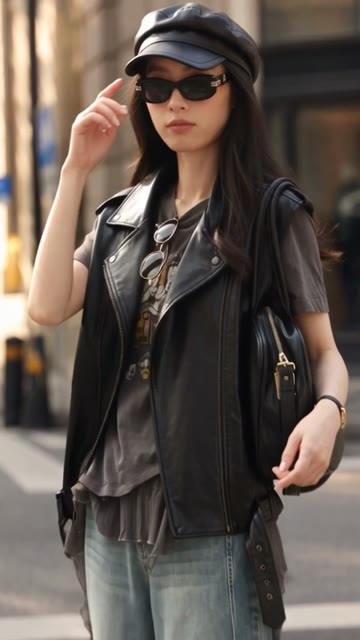
We started with two photos of one outfit. In the 30-second video, a young woman talks to the viewer as she puts on each piece, then walks down a street in the finished look. She speaks Cantonese.
The photos
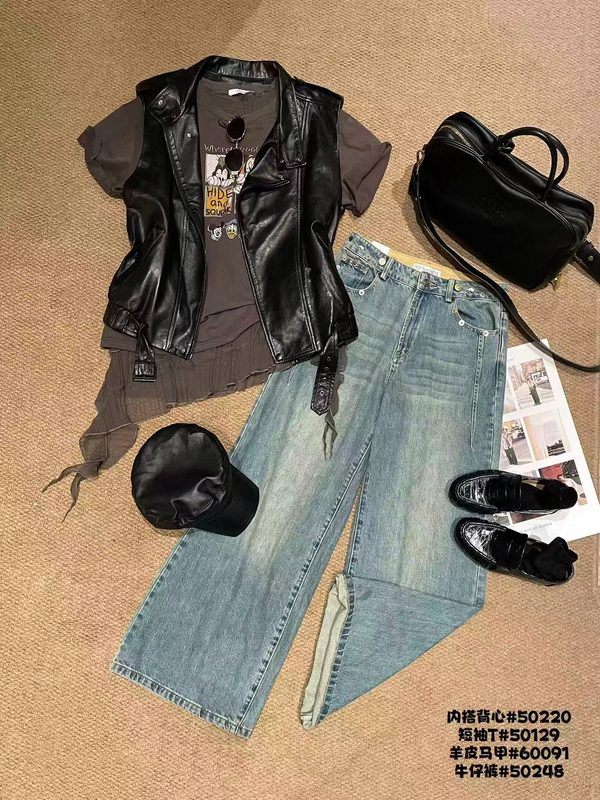
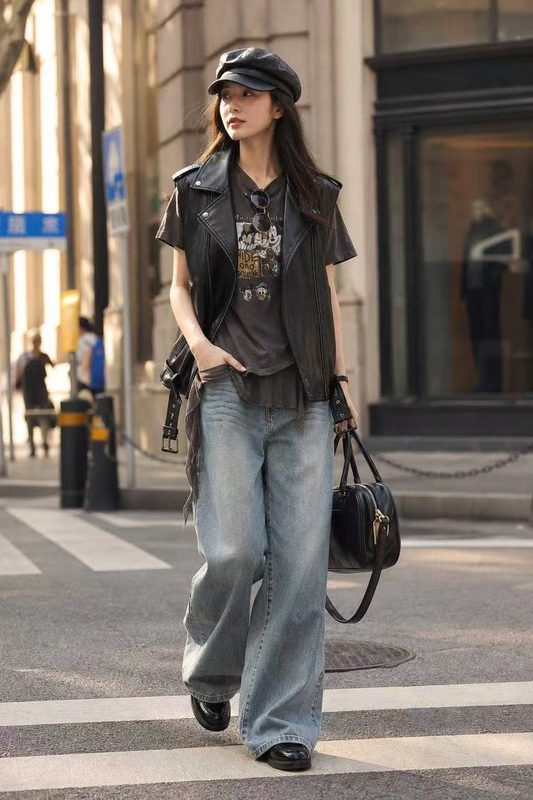
The settings
- Format
- Try-on haul
- Duration
- 30s
- Ratio
- 9:16
- Resolution
- 480P
- Spoken language
- Cantonese
All you write
“Try-on haul video, attractive young woman puts on the clothes from the flat lay picture one by one, styled as in the model photo. She talks about what she's putting on and how it comes together, then heads out onto the street in the finished look.”
The brief we wrote
We wrote this from the idea above and the two photos. Press “Write my brief” and yours is written the same way, ready to read before you make the ad. The words after “Say” are spoken in the ad, and the words after “Write” appear on screen.
-
Pitch: A young woman builds the Fashion set layer by layer, revealing how its biker details and relaxed denim unite before inviting viewers to try the look.
-
Hook: One leather layer instantly changes the graphic tee and wide-leg jeans.
-
1. See: At home, the young woman appears in the graphic T-shirt and cuffed wide-leg jeans, then slips on the glossy biker vest and reacts as the silver hardware completes the first contrast · Say: 呢套最正係又鬆身又有型,一加呢件皮背心,即刻唔同晒。 · Write: 一加即變型
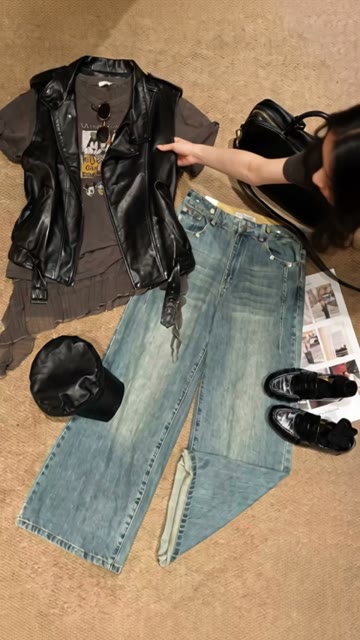
In the video at 0:01
The woman in the video takes the vest from the laid-out outfit and holds the vest up to the viewer.
-
2. See: She adds the baker-boy cap and narrow sunglasses, checking how their black shapes echo the vest while the distressed T-shirt hem remains visible · Say: 再戴帽同窄框黑超,上下啲黑色位即刻連埋一齊。 · Write: 黑色互相呼應
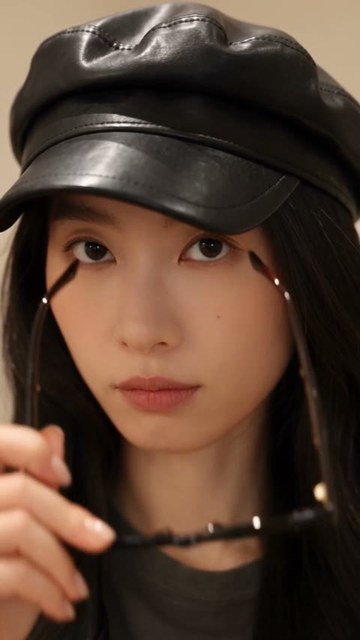
In the video at 0:18
The woman puts on the cap, then the sunglasses, as she talks to the viewer.
-
3. See: She steps into the glossy loafers, lifts the large black handbag, and walks across the room; the loose jeans move around the turned-up cuffs while the patent shoes flash beneath · Say: 我最鍾意闊腳牛仔褲配漆皮鞋,行起上嚟夠輕鬆,細節又搶眼。 · Write: 最愛呢個配搭
-
4. See: Now fully styled like the model reference, she checks the complete silhouette, settles the handbag on her shoulder, and gives an assured smile before leaving · Say: 成套就係咁砌成,型得嚟唔使太刻意。 · Write: 成套出發
-
5. See: She emerges onto the street in the finished outfit, walking naturally as the vest, relaxed jeans, cap, sunglasses, handbag and loafers read together in motion · Say: 我着呢套出街喇,你都試下呢個配搭啦。 · Write: 試下成套配搭
In the video at 0:28
The video ends on a street, with the woman in the finished look from the second photo.
-
Look & Sound: Casual creator-made vertical phone footage moves from a real home to the street, led by an attractive young woman with long dark hair and natural confidence. She speaks directly on camera in one continuous, conversational try-on commentary. Daylight and neutral surroundings keep the black leather, faded charcoal-brown graphic tee and light-wash denim clear; upbeat understated music supports clothing rustle, zipper hardware and footsteps without covering her voice.
Steps to make an ad like it
-
1
Add your product with two photos like the ones above: every piece of the outfit laid out together, and the outfit being worn. Upload the laid-out photo first: it becomes the product's main picture. Your ad shows the outfit the way these photos do.
-
2
On the “Brief” tab, type the idea into the box at the top: “Try-on haul video, attractive young woman puts on the clothes from the flat lay picture one by one, styled as in the model photo. She talks about what she's putting on and how it comes together, then heads out onto the street in the finished look.” Because it names a try-on haul, the brief is written as one.
-
3
Press “Change” in “Settings”, and under “Target audience and language” write where your customers are and the language they speak. For an ad that speaks Cantonese like this one, write “Hong Kong, Cantonese”.
-
4
Under “Length and size”, choose “30s”, so the brief is written for that length. Ads longer than 20 seconds come with any purchase.
-
5
Press “Write my brief”. Your brief is usually ready in under a minute.
-
6
Press “Read the whole brief” under the brief. All of it opens, and stays open.
-
7
Read the brief and type over anything that isn't true of your product, the words on screen included. For a different brief, press “Try another angle”: it takes you back to your idea.
-
8
Press “Make the ad”.
The ad speaks and writes the language you set for your customers.
“Target audience and language” is in “Settings” on the first step of the “Brief” tab, under your idea: press “Change” to open it. Write where your customers are and the language they speak, like “US/North America, English” or “Hong Kong, Cantonese”.
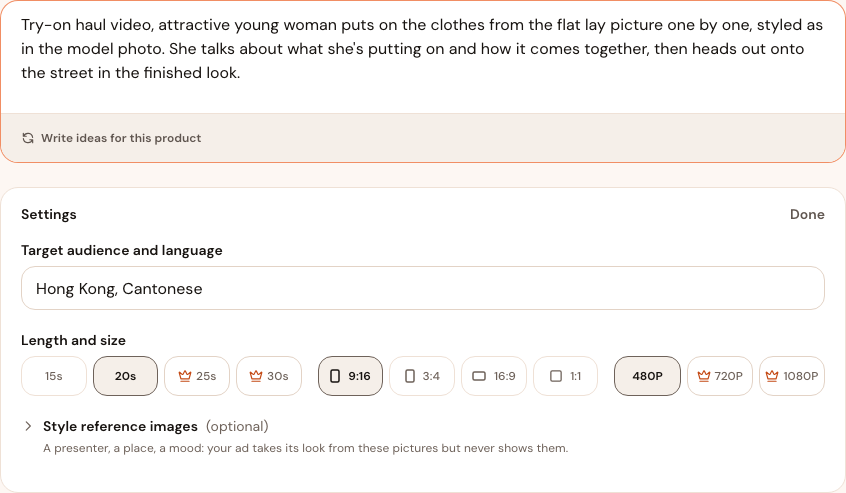
- Choosing the ad's language
- The ad speaks and writes in the language you put in “Target audience and language”, and the brief is written for the people you name there, so the idea suits them.
- Keep the language out of your idea
- Name the language only in “Target audience and language”. A different language asked for in your idea or in the brief may not be the one the ad speaks.
- Your brand keeps the setting
- When you change “Target audience and language”, your brand's next ads start from the new value too.
- Changing the language after the brief is written
- The brief's spoken lines and its words on screen are written in the language you chose. To change the language after the brief is written, press “Change” on the line under “Your brief”, change “Target audience and language”, then press “Rewrite brief”: the ad waits for the brief written for the new customers.
Ready to make your next ad?
Add a product by pasting a link to its page, or by uploading its photos. For what to change before you make an ad, read Tips.