
Making the most out of your video ads.
Every ad is made from your photos and your brief. Here is what is worth changing before you make one, and what to check once it is ready.
What your idea changes, and what it doesn't.
Your idea goes in the box at the top of the “Brief” tab. The brief is written from what you put there, and your words appear in the brief before anything is made.
- Your idea decides these
-
- An offer or a line to say out loud, such as “Use code WELCOME10 for 10% off”. The ad says it in the language you set for your customers, and an offer usually ends up on screen too.
- Who is in the ad: “a woman in her 20s”, “an older man”, “hands only, no face”. Deselect photos of other people, or the ad can mix them with the person you describe.
- A format or a style: “talking head”, “product test”, “unboxing”, “testimonial”.
- Your idea can't promise these
-
- The language. The ad speaks and writes in the language set in “Target audience and language”, under “Settings”. Naming a language in your idea or in the brief doesn't change it.
- Camera movement, music and pacing. These are decided when the video is made. A wish in your idea, like a slow zoom or upbeat music, is passed on and often followed, but it isn't promised the way an offer or a format is.
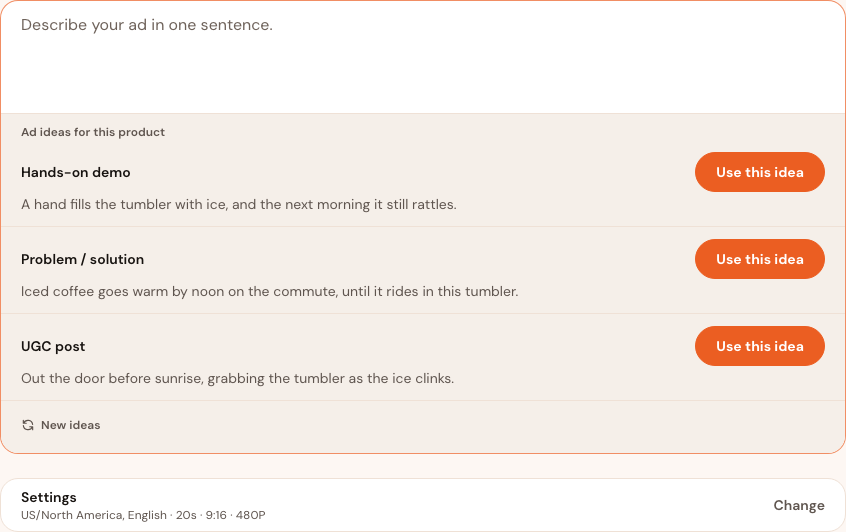
Choose the length for the idea, not for the product.
A video can be 15, 20, 25 or 30 seconds long. 15 or 20 seconds fits one idea: the product, one moment of it in use, and the offer. 25 or 30 seconds has room for a setup, two or three details and an ending, which suits an outfit, a routine, or anything with a before and after.
A longer video doesn't show more of the product. It shows the same product with more time on each moment, so choose 30 seconds only when your idea has that much to say.
Credits are charged by the second. At 480P, a 15-second video uses 225 credits and a 30-second video uses 450. A free account can make videos of up to 20 seconds at 480P; longer videos and higher resolutions come with any purchase.
What to do
Choose the length in “Settings” before you press “Write my brief” or “Decide for me”: the brief is written to fit it. Press “Change” there to open it. To change the length after the brief is written, press “Change” on the line under “Your brief”, choose again, and press “Rewrite brief”.
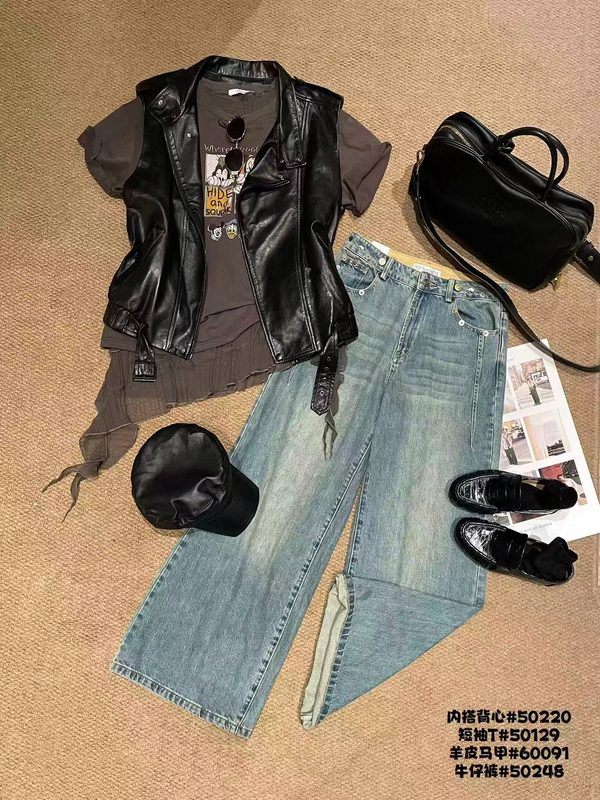
Describe the print. Don't name the character.
A video that names or shows a famous character, a franchise, a celebrity, a band or a film is refused, even when that character is printed on your product. The video is then marked “Failed”, with this message:
“Blocked for copyright: the video featured a brand, character or artwork that can't be recreated without a licence. Edit the brief so it describes what's on the product instead of naming it, then try again.”
Your own brand name is fine, and so is the maker of your product or a device it works with. The rule is about characters and famous people, not about brands.
What to do
Read the whole brief before you make the ad: press “Read the whole brief”. Change any words that name a character or a person, so that the words describe what is on the product instead. The outfit example in the “Writing your idea” guide does exactly that: the T-shirt has a cartoon print, and its brief says “the graphic tee”.
Free ads carry a watermark across the picture. Any purchase takes it off every ad.
On a free account, the InstantClips watermark runs across the whole picture: a free ad is there to show you what you will get. Free ads are made at 480P and run up to 20 seconds.
Any purchase takes the watermark off every ad on your account, including the ones you have already made, and unlocks 25- and 30-second ads, 720P and 1080P, “Style reference images” on the “Brief” tab, and editing the words on screen. An ad with words on screen is made again without the watermark, at no charge, and its page says “Preparing your ad without the watermark…” until the clean copy is ready.
What to do
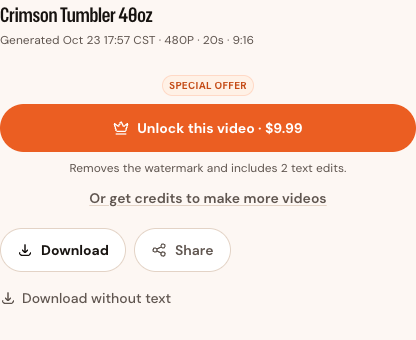
Take the watermark off before you download an ad you plan to post: press “Unlock this video · $9.99” on the ad's page, and you come back to the same ad without it.
Your ad comes with its words on screen.
The brief writes the words that appear on screen, in your customers' language: short lines while the ad plays, ending on your offer or what you want viewers to do. They are the lines after “Write” in each scene. Press “Read the whole brief” to read them before you make the ad: that is the easiest place to change them. Type over the words after “Write” and keep the rest of the line, so the words still reach the screen.
After the ad is made, “Edit on-screen text” on its page lets you rewrite the words, change their colour or size, or move them, then press “Create new version · 50 credits” to make the ad again with them. It comes with any purchase. A free ad's page shows “Unlock this video · $9.99” in its place, and that payment includes 100 credits, enough for 2 edits.
Now and then an ad comes back without words on screen. Add your hook line and your offer when you post it: TikTok and Instagram both do it in a minute.
Ready to make your next ad?
Add a product by pasting a link to its page, or by uploading its photos. For where to post your ad and how to run it as a paid ad, read the playbooks.